
📋
Structure catalog data
Organize part numbers, descriptions, prices, groups, and replacement information so the same data can support multiple diagrams and collections.
PartGrid guides
Learn how to structure parts data, improve diagram-based lookup, and turn existing manuals into clearer self-service experiences for customers, dealers, and service teams.
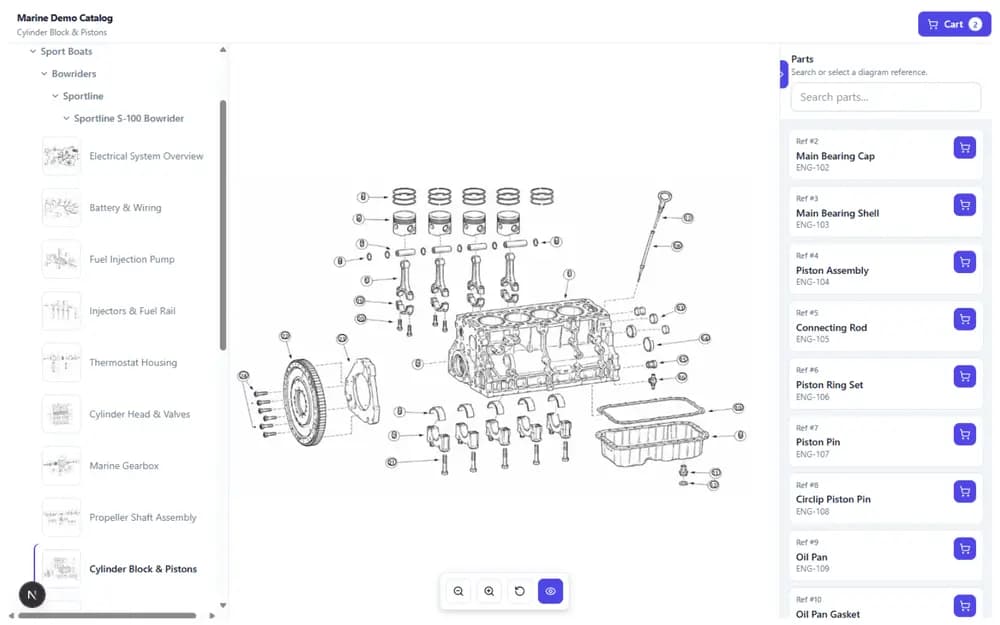
The guides connect day-to-day catalog work with the experience your customers ultimately receive.
Organize part numbers, descriptions, prices, groups, and replacement information so the same data can support multiple diagrams and collections.
Understand how exploded views, callout numbers, BOM rows, and review steps work together in an interactive parts experience.
Plan a controlled path from existing PDF manuals and spreadsheets to a searchable, customer-facing parts catalog.
Create a clearer route from equipment and exploded views to the correct service part.
Give different audiences access to organized collections, localized information, and suitable commercial workflows.
Connect parts lookup with quote, cart, dealer, or support processes without rebuilding every source manual.
About the guides
The guides are educational and stay grounded in workflows PartGrid supports today.
No. They explain practical parts catalog and self-service principles first. Where relevant, they show how PartGrid supports the workflow.
They are intended for parts managers, after-sales teams, ecommerce teams, service organizations, manufacturers, and distributors working with technical parts information.
They focus on customer tasks, decisions, and outcomes rather than internal infrastructure or private technical implementation.
See how your diagrams, part data, review process, and publishing requirements could fit into a self-service parts experience.