
⚙️
Choose a machine or model
Narrow the catalog to the equipment the customer or dealer is working with.
Turn machine context, exploded views and part references into a guided route to the right spare part.
A self-service parts finder gives customers, dealers and parts teams more than a search box. It connects the equipment context a user recognizes to structured parts data, so they can narrow the catalog, inspect the relevant assembly and identify a part without starting from a perfect current part number.
For manufacturers and distributors, that can mean bringing machine models, exploded-view diagrams, part records and replacement guidance into one customer-facing lookup experience. PartGrid provides that visual catalog and identification layer while existing ecommerce, ERP, dealer or support systems can continue to handle the workflows they already own.
A useful parts lookup experience supports more than one route to the correct part.
Narrow the catalog to the equipment the customer or dealer is working with.
Use assembly context, visual position and callout numbers when the part name is unknown.
Use a known, partial or legacy reference and surface current replacement guidance where configured.
Move selected parts into a quote, cart or external workflow where configured.
A common parts-search problem starts with a component, not a SKU. A customer may know the machine model and where the failed component sits, but not what the manufacturer calls it. A dealer may receive a photo or a description such as “the seal behind this housing” and still need to translate that into the correct catalog record.
Interactive parts diagrams let users work from the assembly they recognize. They can inspect an exploded view, use its callout references and connect the visual position to the related parts list. This keeps identification tied to the machine context instead of forcing users to jump between a static drawing, a separate BOM table and another search system.
Customers and dealers often search from older manuals, invoices, labels or printed catalogs. The number they enter can therefore be valid historically while no longer being the preferred part to quote or order.
With replacement and supersession guidance, a catalog can keep that legacy reference connected to the current or preferred replacement where the relationship has been configured. Notes and replacement context can stay close to the point of identification, helping users understand the next option without treating PartGrid as automatic fitment or compatibility validation.
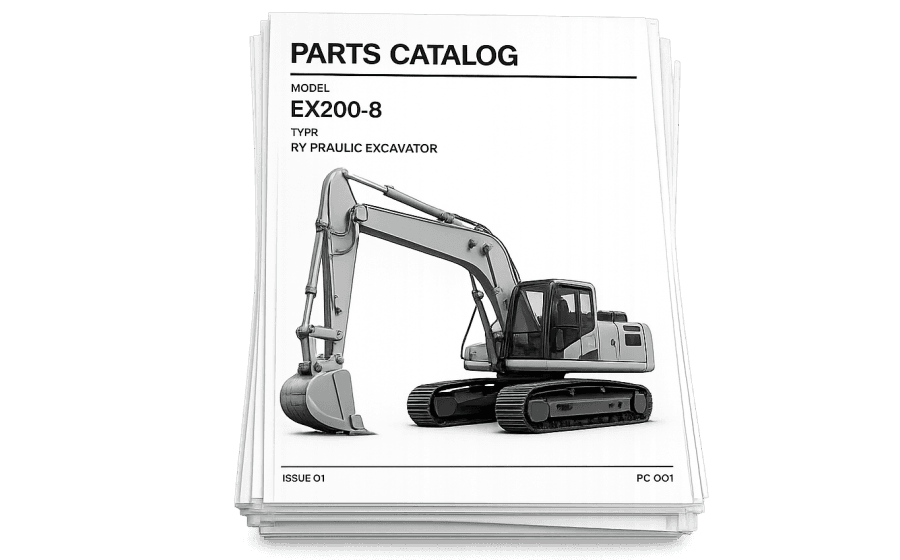
Users search across manuals, PDFs and product pages
Support identifies parts from screenshots or descriptions
Legacy numbers create extra back-and-forth
Machine and diagram context guide the search
Current part data stays connected to the visual reference
Selected parts can continue into quote, cart or support
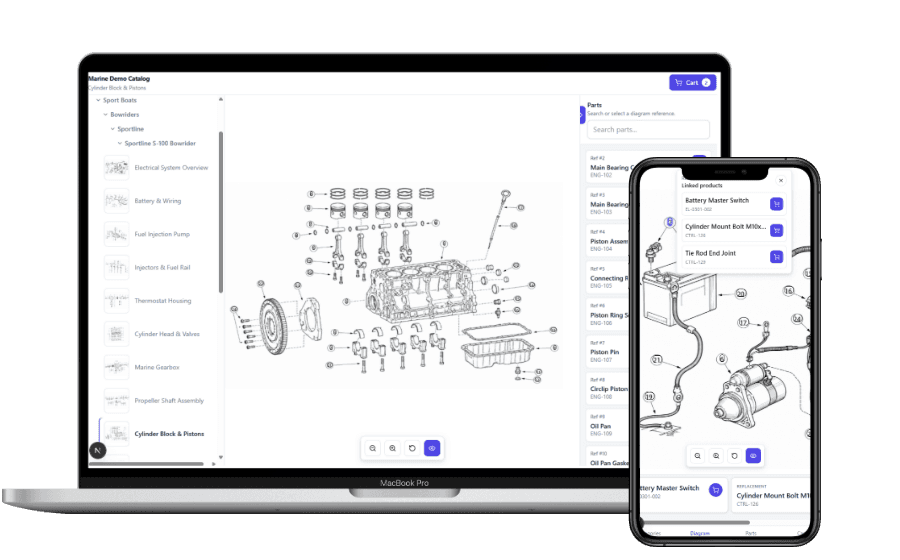
Identification is only useful when the selected part can move into the process that follows. Depending on the implementation, PartGrid can support a built-in cart and quote request, a native ecommerce integration where supported, or a custom selected-part handoff to a parent site or portal.
That means a customer can identify a part visually and continue toward a request or purchase without rebuilding the parts list by hand. A dealer can use the same catalog experience while keeping pricing, stock, checkout, approval and fulfillment in the systems that already manage them. See the available cart, quote and handoff options.
Consider a customer who knows the model of a pump but not the name of the worn component. They open the relevant catalog, select the pump family and navigate to the assembly that contains the component. In the exploded view, the visual position and callout point them to the linked part record. If that record is obsolete, configured replacement guidance can show the preferred current option. The selected part can then continue into the appropriate quote, cart or support workflow.
The same pattern can work for dealers who receive incomplete part requests. Instead of asking for a perfect SKU at the start, the catalog gives them a structured route from equipment context to the part data they need.
A practical rollout does not require every machine, manual and part record to be converted at once. Start with a product family that generates frequent identification questions, has useful exploded views or has parts data that is already reasonably structured. That creates a focused catalog you can review with the people who actually answer customer and dealer questions.
The first experience can run as a standalone parts finder or be placed inside an existing website, customer portal or dealer portal through an embedded collection. Additional categories, models and assemblies can then be added using the same catalog structure.
FAQ
How visual parts lookup fits into an existing parts and after-sales workflow.
Yes. Where the catalog has been configured with the relevant equipment structure and diagrams, users can start from a machine or assembly and use an interactive exploded view and callout references to reach the related part data.
Yes. PartGrid can use exploded-view images, technical drawings and PDF-derived catalog pages as source material for interactive diagrams. Callout detection and matching can be AI-assisted, with review and correction before customer-facing publication.
If replacement or supersession relationships have been configured, the legacy reference can guide the user toward a current or preferred replacement with supporting notes. This is guidance rather than automatic fitment validation.
Yes, where configured. PartGrid can support built-in cart and quote workflows, native ecommerce integrations where supported, or custom selected-part handoff to a parent website or portal.
No. PartGrid can provide the catalog, visual lookup and selected-part context while ecommerce, ERP, CPQ, dealer or backend systems continue to handle the workflows they own.
See how your models, exploded views and part data could become a guided self-service experience for customers and dealers.